

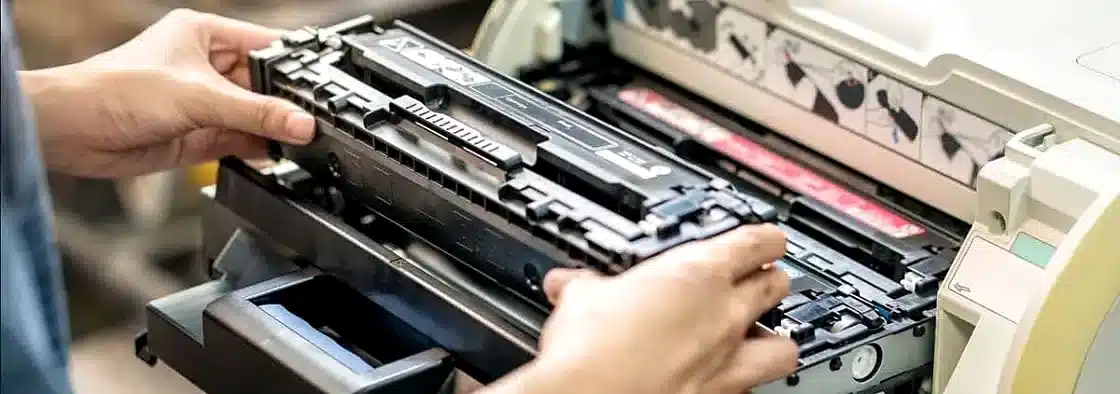
11 Nov Preventive Printer Maintenance Checklist for Busy Offices
A busy office runs on reliable machines. When a printer jams or smears ink across a page, work stops and stress builds. Regular care keeps that from happening. A simple maintenance routine protects your hardware, your deadlines, and your budget. This guide provides a clear checklist you can follow every week, month, and quarter. You do not need to be a technician to use it. Most steps take only a few minutes. For larger jobs, a planned printer service keeps everything running smoothly and prevents sudden breakdowns during your busiest days.
Why Preventive Maintenance Matters for Busy Offices
Printers work hard in a busy office. They handle contracts, invoices, reports, and shipping labels every single day. That heavy use wears down rollers, print heads, and internal parts. Small problems grow into costly ones when nobody checks them. Preventive care catches issues early, before they stop your team. It also keeps print quality sharp and steady. Regular printer servicing removes dust, clears paper paths, and keeps moving parts clean. The result is fewer jams, clearer prints, and a longer machine life. A short routine now prevents long delays later, and your staff stay productive.
Your Weekly Printer Maintenance Checklist
Weekly care is quick and easy. Any team member can handle it with a cloth, a little time, and this simple list. The goal is to keep the machine clean and the paper path clear. Dust and loose paper cause most everyday faults. A few minutes each week stop these small problems from turning into a real printer repair. Set a regular slot, perhaps every Friday, so the task never slips. Keep your supplies nearby so nobody skips a step. Below is a short weekly checklist your office can follow without any special tools or training.
- Wipe the exterior and control panel with a dry, soft cloth.
- Clear the paper trays and remove any dust or torn scraps.
- Check that paper is loaded straight and the tray is not overfilled.
- Run a test print to spot streaks or faded areas early.
- Clear any error messages and reset the display.
Monthly and Quarterly Maintenance Tasks
Some jobs require less attention, but they matter just as much. Once a month, clean the print heads using the printer’s built-in cleaning cycle. Check for firmware updates, since these fix bugs and improve speed. Inspect the cables and connections for wear. Every quarter, run a deeper clean and calibrate the colours for accurate output. Replace worn rollers before they cause repeat jams. These steps keep performance steady all year. For larger machines, a scheduled printer service in Calgary gives your equipment a professional check that in-house routines cannot match. Booking ahead means no nasty surprises during peak periods.
Early Signs Your Printer Needs a Technician
Even with great care, machines sometimes need expert hands. Watch for warning signs so you can act fast. Repeated paper jams often point to worn feed rollers. Faint or streaky prints can mean a failing print head or low toner. Grinding noises usually signal a loose or broken part. Frequent error codes that return after a reset are another red flag. Ignoring these signs leads to bigger faults and higher costs. A prompt printer repair in Calgary sorts the problem while it is still small. Quick action keeps your office moving and avoids long, expensive downtime later on.
Make the Checklist Part of Your Workflow
A checklist only works when people actually use it. Make the routine easy to follow and hard to forget. Assign each task to a named person so nothing falls through the cracks. Keep a printed copy near every machine as a quick reminder. Log the date of each clean and check in a shared sheet. This record helps you spot patterns, such as a printer that jams more often than the rest. It also shows a technician exactly what has already been done. Small habits build real reliability over time. When the whole team takes part, your office printers work when you need them.
How Maintenance Saves Time and Money
Good maintenance is an investment, not a cost. A well-kept printer uses toner efficiently and wastes less paper. It breaks down far less often, so your team avoids frustrating delays. Fewer faults also mean fewer emergency call-outs, which protects your budget. Machines that are cared for last years longer, delaying the big expense of replacement. Clear prints keep your documents professional and your clients happy. A planned approach makes your costs predictable so that you can budget with confidence. For offices across the region, regular Alberta printer service turns random repairs into a steady, affordable routine that pays off over time.
Keep Your Office Printers Running with R&S Business Equipment
A simple routine goes a long way, but expert support makes it even easier. R&S Business Equipment helps busy offices across Calgary and Alberta keep their printers in top shape. Our certified technicians offer fast, friendly service and a guaranteed response time you can rely on. Set up a maintenance plan, book a visit, or ask for honest advice on your machines. Call the team at +14032515304 or email info@randsbus.com. Keep your office productive, your prints sharp, and your costs under control with a local partner who knows office equipment inside out.